...
🇮🇹 Meet SonnePower at REAS 2026 in Italy   |   Oct. 8–10, 2026   |   Centro Fiera Montichiari   |   Pavilion 2 – Stand C9 🇮🇹 Meet SonnePower at REAS 2026 in Italy   |   Oct. 8–10, 2026   |   Centro Fiera Montichiari   |   Pavilion 2 – Stand C9

How to Choose an Agricultural Touchscreen Monitor?

Table of Contents

Agriculture is becoming more connected and data-driven. Farmers and OEMs use digital solutions to monitor field conditions, automate machinery, and improve yields. At the heart of this transformation is the agricultural touchscreen monitor — a rugged HMI display that links operators with GPS guidance, sensors, and controllers.

But not all displays are created equal. Dust, sunlight, vibration, and chemical exposure can easily damage consumer-grade screens. Choosing the right rugged touchscreen monitor can improve machine uptime, operator safety, and productivity.

In this guide, you’ll learn how to select the best monitor for your equipment — and see how SonnePower SPD Series displays meet modern farming needs.

1. Define Your Application Requirements

Before selecting a monitor, clarify where and how it will be used:

  • Location: Tractor cab, combine harvester, sprayer, greenhouse, or outdoor implement.

  • User Interaction: Touch with bare hands or gloves, stylus use.

  • Environmental Conditions: Dust, water spray, fertilizer contact, vibration, and temperature extremes.

  • Mobility: Fixed panel mount or portable display for multiple machines.

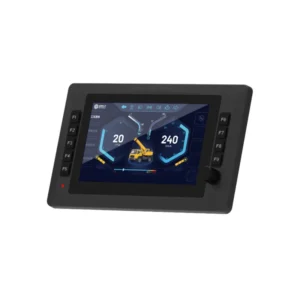
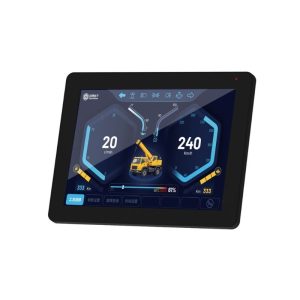
✅ SonnePower offers screen sizes from 5” to 12.1” to match small tractors, large harvesters, or even mining trucks.

2. Touch Technology and Screen Performance

Choose touch technology that suits your operators:

  • Projected Capacitive (PCAP): High clarity, multi-touch, modern UI experience. All SPD models use glove-compatible capacitive touchscreens.

  • Resolution & Brightness: SonnePower SPD displays deliver 800×480 to 1024×768 resolution, with up to ≥800 cd/m² brightness — sunlight-readable for outdoor work.

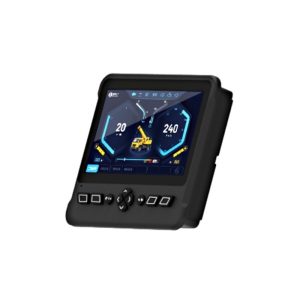
Agricultural Touchscreen Monitor

3. Ruggedness and Environmental Resistance

Agricultural monitors must survive tough conditions.

  • IP65-rated housings protect against dust and water.

  • Vibration-resistant design meets IEC 60068/MIL-STD-810.

  • Wide operating temperature range ensures reliable boot-up on hot summer days or frosty mornings.

  • Chemical-resistant surfaces withstand cleaning and field exposure.

✅ SonnePower’s SPD-070-Ex boots in just 5 s and continues running in harsh weather.

4. Connectivity and ISOBUS/J1939 Integration

A clear, bright screen keeps operators safe and productive:

  • Size: 7–12″ displays are typical for tractors.

  • Resolution: At least 1280×720 (HD) for sharp map guidance.

  • Brightness & Contrast: Outdoor work requires ≥ 800–1000 nits.

  • Viewing Angle: ≥ 170° for multiple operator visibility.

  • Response Time: Fast enough to avoid lag when showing moving maps or camera feeds.

5. SonnePower SPD Series Comparison

Here’s how SonnePower’s display lineup fits different machines and use cases:

Model Screen Size Resolution Brightness Touch Type Communications Key Features Ideal Applications
SPD-050-E 5" 800×480 ≥800 cd/m² Capacitive 2×CAN, 1×RS232, 1×ETH Compact design, very high brightness, supports Wi-Fi/USB Small tractors, seeders, implements with limited dashboard space
SPD-070-Ex 7" 1024×600 ≥600 cd/m² Capacitive 2×CAN, 1×RS232, 1×ETH Fast boot (5 s), GPS/4G/Bluetooth, RTC, USB Tractors, sprayers, harvesters needing reliable ISOBUS/J1939 HMI
SPD-070-Fx 7" 1024×600 ≥600 cd/m² Capacitive 5×CAN, 1×RS232, 1×ETH 4×AHD video inputs, integrated voice amplifier, extended SD card Complex machinery with multiple cameras, precision farming systems
SPD-080-Fx 8" 1024×600 500 cd/m² Capacitive 5×CAN, 1×RS232, 1×ETH Large screen, 4×AHD video input, GPS/Beidou support Combines, forage harvesters, operators needing more visual space
SPD-121-Ax 12.1" 1024×768 >480 cd/m² (Typ. 600) Capacitive 3×CAN, 1×ETH Large HMI, clear UI for complex control tasks Excavators, mining trucks, port logistics equipment

6. Installation and Ergonomics

  • Mounting Options: Panel mount, VESA, RAM mounts available.

  • Mechanical Stability: Solid mounting avoids connector stress and operator fatigue.

  • Cable Routing: Space-efficient and safe layout prevents accidental disconnection.

7. Total Cost of Ownership

  • A rugged monitor saves money over time:

    • Longer Service Life: SPD monitors are designed for 5–7 years of reliable operation.

    • Reduced Downtime: Fast service and spare parts availability minimize harvest delays.

    • Scalable Solutions: Same UI platform across different screen sizes simplifies training.

Conclusion & Call to Action

Choosing the right agricultural touchscreen monitor means balancing ruggedness, usability, and long-term ROI.

SonnePower SPD series provides:

✅ Glove-friendly capacitive touch
✅ Sunlight-readable brightness
✅ Multi-CAN + ISOBUS/J1939 support
✅ Fast boot & reliable connectivity
✅ Camera-ready options for precision farming

💡 Ready to upgrade your fleet?
Request a Quote or Get a Sample and see how SonnePower SPD displays improve your operations.

Scroll to Top

Contact information

Write for us