 Skip to content

J1939 Display Selection Guide: Professional Engineering Advice for OEMs
Table of Contents
Executive Summary: Key Takeaways for OEM Engineers
When selecting a J1939 display, OEM engineers need to consider several critical factors to ensure reliable performance and long-term usability. Here are the top priorities:
-
Protocol Compatibility: Ensure support for J1939-21 and J1939-71 for seamless communication with ECUs.
-
Display Performance: At least 1000 nits brightness for outdoor visibility, and high resolution for clear data presentation.
-
Environmental Durability: The display must withstand -40°C to +85°C temperatures and meet IP65 or higher protection standards.
-
Scalability: Look for displays with expandability for future upgrades, sensor integration, and software enhancements.
This guide will help you navigate these essential considerations and select the right J1939 display for your specific application, whether in commercial vehicles, construction machinery, or industrial equipment.
Selecting the Right J1939 Display: Core Criteria
Selecting the Right Display: Core Criteria
Brightness & Resolution: For optimal outdoor visibility, choose displays with 1000 nits brightness and resolutions ranging from 320×240 to 1024×600.
Durability: Choose a display that can endure extreme temperatures (-40°C to +85°C), IP65 or higher ingress protection, and vibration resistance for rugged environments.
Interfaces: Ensure support for CAN 2.0A/B for J1939 compatibility, with secondary interfaces (e.g., Ethernet or RS485) for future telematics and integration.
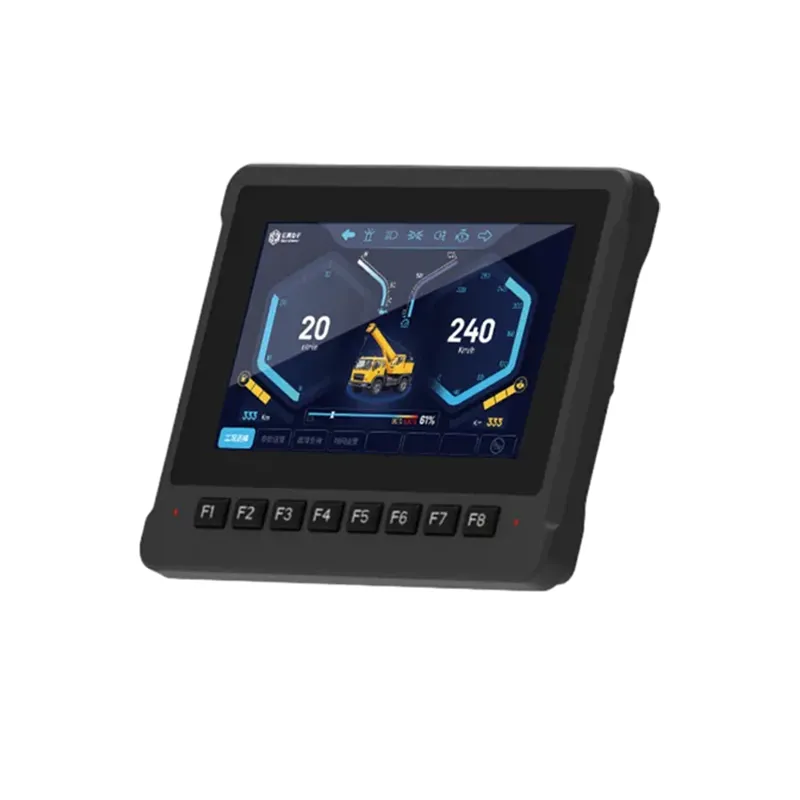
Environmental & Functional Requirements
Application Scenarios
Automotive & Mobile: Displays for vehicles and machinery must handle high vibration and varying temperatures.
Industrial & Stationary: For industrial machinery, ensure the display fits within the space constraints and offers anti-interference capabilities.
Extreme Outdoor Conditions: Select displays with high brightness (≥1000 nits) for outdoor use, and those that support cold-start functionality for harsh winters.
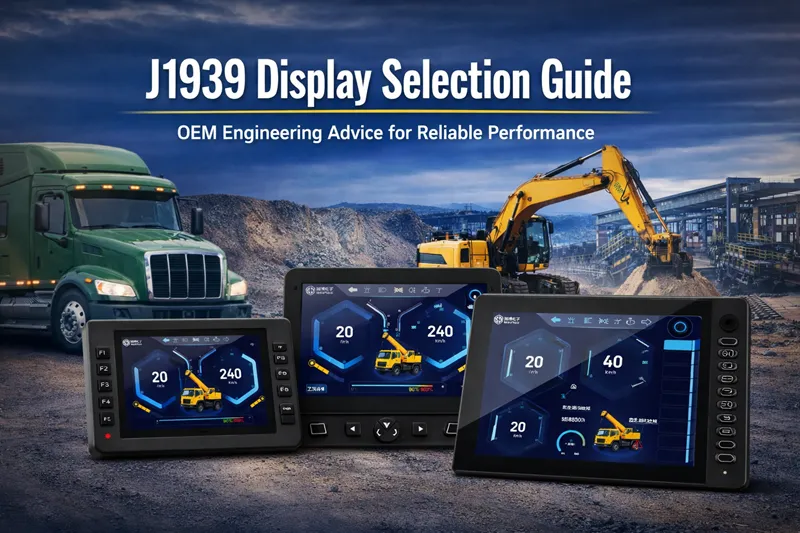
Key Functional Needs
Data Visualization: Real-time gauges, bar charts, and fault indicators should be visible with minimal delay.
Interaction Methods: Depending on the application, choose either capacitive or resistive touch for glove compatibility, or physical buttons for high-tactile control.
Scalability: The ability to easily upgrade the system or integrate new sensors is crucial for future-proofing.
Technical Details: Ensuring Long-Term Usability
Protocol Compatibility & Parsing Power
Ensure the display supports J1939-21 (Data Link) and J1939-71 (Vehicle Application) to handle real-time vehicle diagnostics.
Displays should support standard PGN parsing and provide the flexibility for custom PGN mapping when proprietary data is involved.
Display Performance
Brightness: At least 500–1000 cd/m² for outdoor environments.
Resolution: Depending on the complexity of the data, ensure the display meets your resolution requirements (320×240 to 1024×600).
LCD Type: Choose between monochrome for simple readouts or color LCD/OLED for complex diagnostics.
Environmental Resilience
Temperature: Must operate in environments ranging from -40°C to +85°C without performance degradation.
Ingress Protection: Minimum IP65 for dust and water resistance; IP67 or IP69K if exposed to harsher environments.
Power: Ensure support for 12V/24V with wide voltage input and protection from power surges.
Software Functionality & Usability
Data Visualization: Ensure real-time gauges, bar charts, and indicators for engine speed, fuel levels, and fault codes.
Fault Management: Support for DM1/DM2 fault codes, audible/visual alarms, and logging of fault histories.
Refresh Rate: For critical data like RPM, a refresh rate of ≥10Hz is essential to avoid display lags.
Data Storage: The ability to log performance data in formats such as CSV for easy maintenance and diagnostics.
Brand & Quality Assurance
Specialization: Prioritize brands specializing in industrial or automotive J1939 displays to ensure technical support and experience in rugged applications.
Certifications: Verify that the display meets CE, FCC, ISO standards, and if used in automotive applications, confirm AEC-Q100 compliance.
Warranty & Support: Ensure at least a 1-year warranty, responsive technical support, and easy access to firmware updates.
SonnePower J1939 Display Comparison Table
| Model | Display Size | Resolution | Brightness | Protocol Support | Total I/O | Key Feature |
|---|---|---|---|---|---|---|
| SPD-043-Ex | 4.3" | 480x272 / 800x480 | 450 cd/m² | 2x CAN, 1x RS232, 1x ETH | 8 (4 Inputs/4 Outputs) | High brightness, Enhanced I/O |
| SPD-070-Bx | 7" | 800x480 | 600 cd/m² | 5x CAN, 1x RS232, 1x ETH | 20 (20 Inputs/8 Outputs) | Capacitive touch, 4x Video Inputs |
| SPD-101-H1x | 10.1" | 1280x800 | 900 cd/m² | 5x CAN, 1x RS232, 1x ETH | 20 (20 Inputs/8 Outputs) | HD resolution, Capacitive touch |
| SPD-121-BD | 12.1" | 1280x800 | 600 cd/m² | 5x CAN, 1x RS232, 1x RS485, 1x ETH | 20 (20 Inputs/8 Outputs) | Dual OS (Android + Linux), Multimedia |
Key Takeaways
Size & Resolution: Displays range from 4.3″ to 12.1″ and up to 1280×800 resolution for detailed diagnostics.
Brightness: Brightness levels from 450 to 900 cd/m², suitable for various outdoor/indoor environments.
Protocol Support: All models support J1939, with CAN, RS232, and some with Ethernet for flexibility.
I/O Options: Flexible I/O configurations, up to 20 I/Os, with many models offering user-defined options for customization.
Ready to select your J1939 display solution?
Engineering Consultation: Contact Our Technical Team for personalized protocol mapping.